WildTrax A2

Remote Control for WildTrax

Run your recording session from your iPhone or iPad. Meters, transport, routing, files, metadata and reports, all synced live with WildTrax on your Mac.
WildTrax A2 I/O Matrix on iPhoneWildTrax A2 Tracks on iPhoneWildTrax A2 Sound Report on iPhone

Every Panel, In Your Pocket

Eight panels, live from WildTrax on your Mac. Open them from the Panels tab.
Tracks

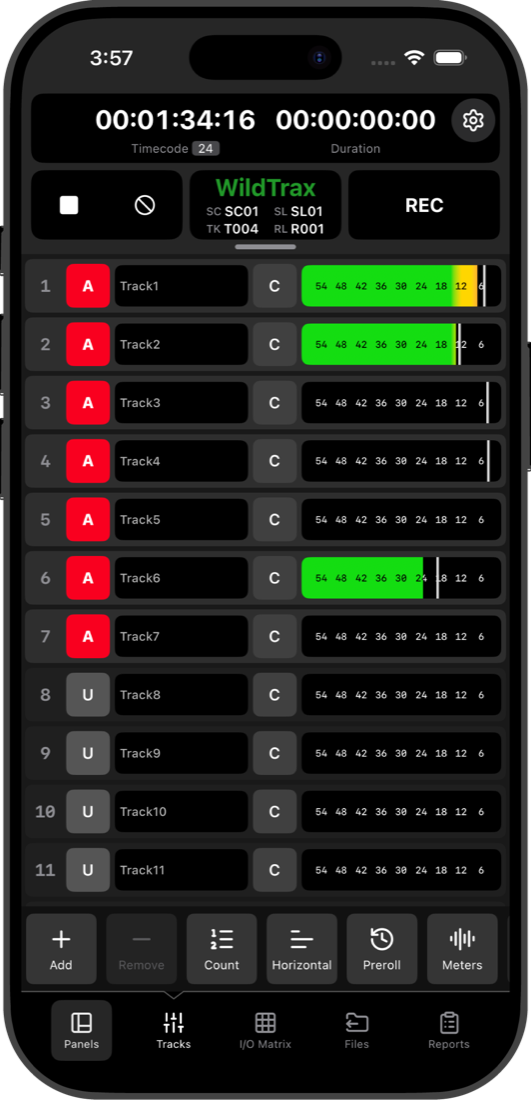
  • Real-time meters for every track
  • Arm, mute and name tracks
  • Change track count, pre-roll and meter style

I/O Matrix

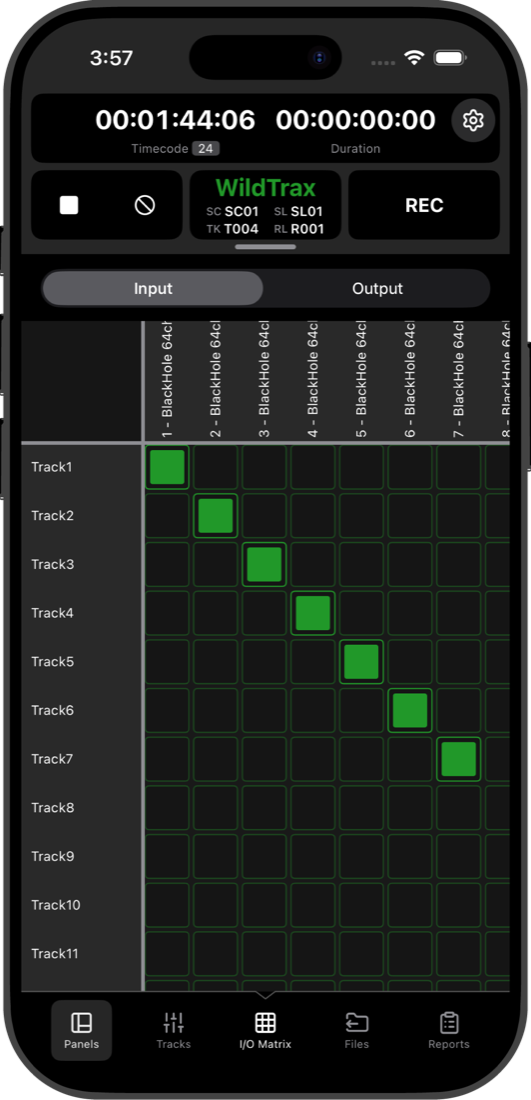
  • Route inputs to tracks
  • Switch between input and output views
  • Tap a cell to patch it

Files

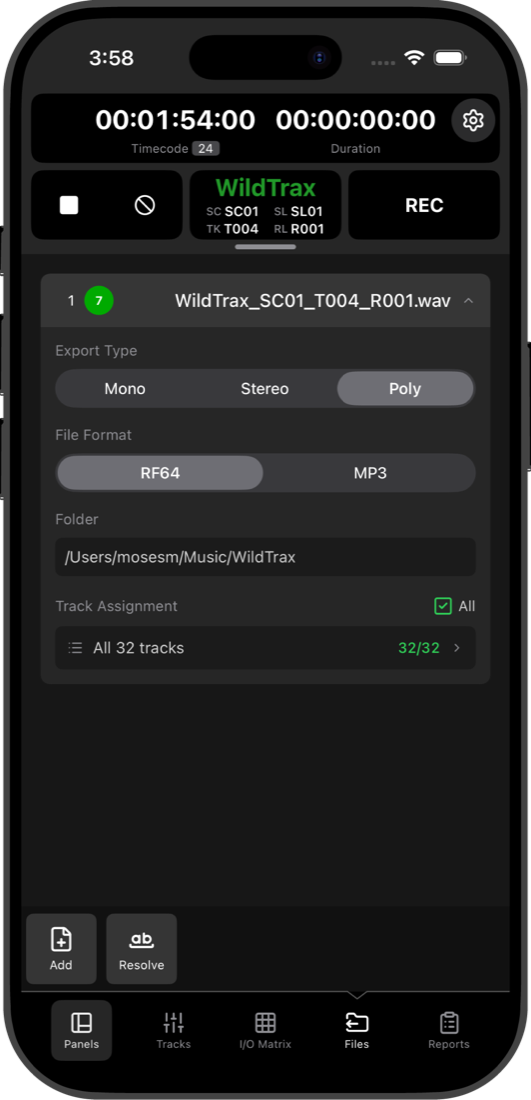
  • Mono or poly, RF64 or MP3
  • Assign tracks to files in any configuration
  • Add files and resolve conflicts

Sound Reports

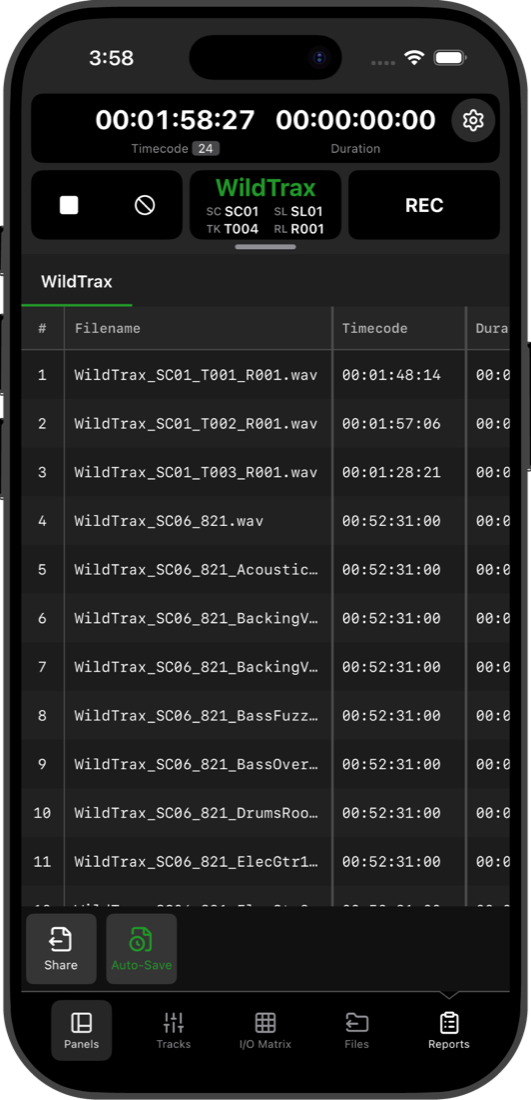
  • Every take with its timecode and metadata
  • Edit metadata after the take
  • Share reports straight from your phone

Metadata

  • Scene, take, slate and roll at a glance
  • Edit metadata before you roll
  • Changes sync to the desktop instantly

Playlist

  • The playback list from your Mac
  • Add, rename and delete entries
  • Choose how each entry is routed

Sample Pad

  • Fire pads from your phone
  • Latched or momentary, with solo and repeat
  • Fade in and out per pad

Spectrum Analyzer

  • Live spectrum for any track
  • Spot noise and hum from across the set
  • Interpolated or raw display

A Closer Look

WildTrax A2 Audio Tracks on iPhone
Audio TracksReal-time metering and intuitive controls
WildTrax A2 File Management on iPhone
File ManagementAssign tracks to files in any configuration
WildTrax A2 I/O Matrix on iPhone
I/O MatrixRoute inputs to tracks
WildTrax A2 Sound Report on iPhone
Sound ReportEdit metadata and share sound reports

How It Works

1

Connect to WiFi

Ensure your iPad/iPhone and Mac are on the same local network

2

Automatic Discovery

WildTrax A2 automatically discovers WildTrax desktop on your network

3

Approve Session

Approve the connection in WildTrax on your Mac

4

Start Controlling

Control your recording session and view live meters remotely

Requirements

WildTrax 2027, or WildTrax 2026.4 and newer
Local network connection
iPad or iPhone running iOS 17.6 or later

Get WildTrax A2

Download WildTrax A2 on the App Store and connect to WildTrax desktop.